
Most crypto portfolio trackers are a website or a phone app, and Linux gets a browser tab at best. Moonitor is a real desktop app on Linux, the same one that runs on Mac and Windows, and it keeps your portfolio on your own machine. No account, no exchange login, no API key.
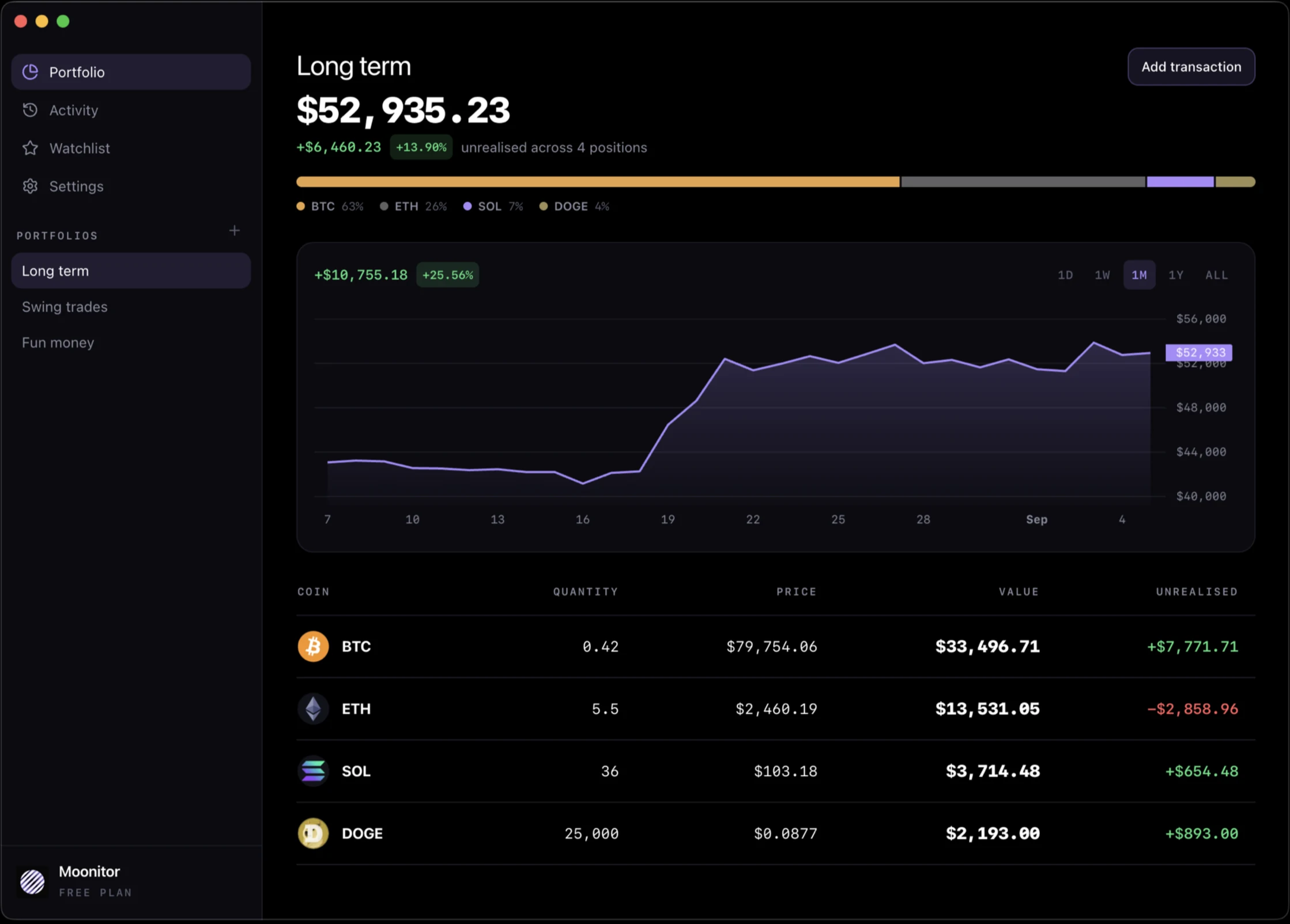
This page covers what is specific to Linux: which package to take, how Pro is unlocked, and how to sync without a Moonitor cloud.
Which package to download
All of them are on the download section of the home page. Pick by distribution, then by architecture.
- .deb for Debian, Ubuntu and distributions built on them. There is a 64-bit build and an Arm build.
- .rpm for Fedora and RHEL, on 64-bit.
- AppImage for everything else. One file, no installation: mark it executable and run it.
The site does not guess your architecture, because a browser cannot reliably tell. If you are on an Arm board or an Arm laptop, take one of the Arm builds rather than the default.
How Pro works on Linux
The free version is not a trial. It covers live prices from all 16 exchanges, unlimited transactions, sync and backups, up to 5 coins, 1 portfolio, 10 watchlist markets and 1 price alert, with no time limit.
Pro removes those limits. It is a licence key: you buy it on moonitor.io, we email you a key, and you paste it into Settings. One payment, not a subscription.
The key is verified on your own machine, offline, against a public key built into the app. Moonitor never phones home to decide whether you may use what you paid for, and Pro keeps working whatever happens to us. The same key unlocks the Windows version and the direct Mac download.
Syncing without a Moonitor cloud
There is no Moonitor server holding your portfolio, so syncing is done with tools you already trust.
A synced folder. Point Moonitor at a folder and every machine watching it stays up to date. On Linux that is most naturally Syncthing, which keeps the data peer to peer between your own machines, but Dropbox, a Nextcloud folder or anything else that syncs a directory works the same way.
Folder sync handles the awkward case properly. Edit on two machines at once and a sync tool keeps both copies as conflict files rather than choosing one. Moonitor reads everything in the folder and merges it, so nothing is lost and nothing is silently overwritten.
A backup file. Settings exports the whole portfolio to a single file and imports it back. Put it wherever your backups already go.
Price alerts
Set a price on any coin, above or below, and Moonitor raises a desktop notification the moment the market crosses it.
Alerts run while the app is open. Nothing on a server watches the market for you, because on a machine that is on all day nothing needs to. If you want alerts while the app is closed, Moonitor for iPhone has them.
What it does not do
Moonitor never connects to your exchange account. It reads public prices, and you record what you hold. When you buy on an exchange, you add that purchase in Moonitor as well.
That is deliberate. A tracker that pulls your balances automatically needs your API keys and keeps a copy of your history on its servers. If you would rather nobody else held that, this is the trade. Crypto portfolio tracker without API keys makes the full case.
Moonitor is not open source. If that is a requirement for you, private and open source crypto portfolio trackers compares it honestly with the open source options.
Getting started
Once it is installed, how to track your crypto portfolio on desktop walks through adding your first coin, recording what you paid, and reading the portfolio screen.
